


The desktop application for all video creators using cameras from Sony

Catalyst Prepare /
Catalyst Prepare Plugin (Adobe Premiere / Blackmagic Design DaVinci Resolve)
As of August 2026, Catalyst Browse and Catalyst Prepare have been integrated.
Users of previous versions of Catalyst Browse or Catalyst Prepare, please see here.
This desktop application lets you quickly organise video shot on a camera from Sony before editing.
Logs and metadata recorded while shooting are utilised to enable efficient clip selection and highly accurate correction.
Catalyst Prepare features
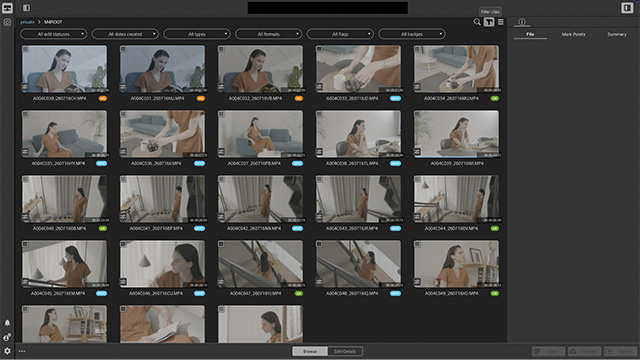
Clip selection using shooting logs
Based on OK/KEEP/NG flags recorded during shooting in Catalyst Prepare, you can quickly select usable video from among a large number of clips, reducing the time spent sorting through them. You can also check the camera settings and lens information from the shoot, boosting the accuracy of your video selection.
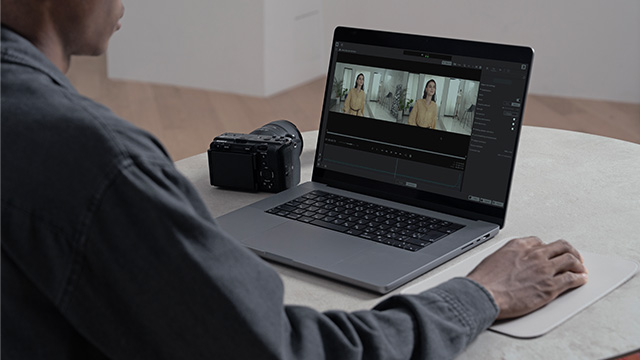
Fast, high-quality correction with proprietary analysis technology
Sony’s proprietary analysis technology compensates for camera shake during handheld shooting, and changes in the angle of view caused by focus transitions, delivering professional quality. The compensated footage then requires less correction work during the main editing process, streamlining your production workflow.
With a paid plan, you can also use the following correction functions:
- Bulk image stabilisation for multiple clips
- Horizon Lock
- Sound Separation
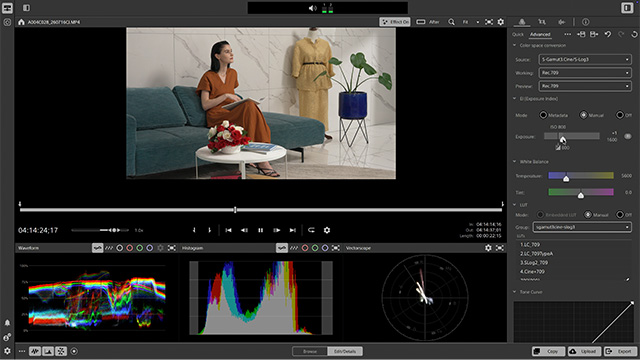
Colour adjustment using LUT/EI information
From basic colour adjustments such as brightness, contrast, and colour temperature, to applying and creating LUTs and utilising LUT/EI information recorded during shooting, flexible colour adjustment features are provided to suit all your needs.
- Cine EI and Cine EI Quick are supported.

Plans for Catalyst Prepare / Catalyst Prepare Plugin
- With a single plan you can use both Catalyst Prepare and Catalyst Prepare Plugin.
-
Basic video viewing and editingFree Plan
Basic functions of Catalyst Prepare
- View shooting metadata
- Import shooting logs including Shot Marks and OK/NG/KEEP flags
- Image stabilisation
- Lens breathing compensation
- Colour adjustment
Various Plugin functions
Use Catalyst Prepare within your preferred editing software
- View shooting metadata
- Cine EI
- Lens distortion compensation
- Various correction functions
- * A watermark will be embedded
-
 Adobe
Adobe
Premiere -
 Blackmagic Design
DaVinci Resolve
- Adobe Premiere and Blackmagic Design DaVinci Resolve are supported
-
Expanded functions for precise adjustmentPaid Plan
Experience efficient and precise editing, with your first month free*
- * Monthly subscriptions only
Further expanded Catalyst Prepare functions
In addition to the free plan:
- Bulk export of multiple clips
- Enhanced correction and adjustment functions (manual adjustments, compensation strength adjustments, etc)
- Horizon Lock
- Sound separation
Full Plugin functionality
Use Catalyst Prepare within your preferred editing software
- Correction functions
- * No watermark will be embedded
-
Adobe
Premiere -
Blackmagic Design
DaVinci Resolve
- Adobe Premiere and Blackmagic Design DaVinci Resolve are supported
This price is determined by the reseller, Cleverbridge, and provided here for reference purposes.
As of August 2026, the pricing structure for Catalyst Prepare and Catalyst Prepare Plugin has been revised.
Catalyst Prepare Free Plan
You can use, free of charge, a wide range of fundamental functions that support the pre-production phase, from organising and reviewing clips to correction and transcoding into various formats. With intuitive operation, this smoothly supports your post-shooting workflow.
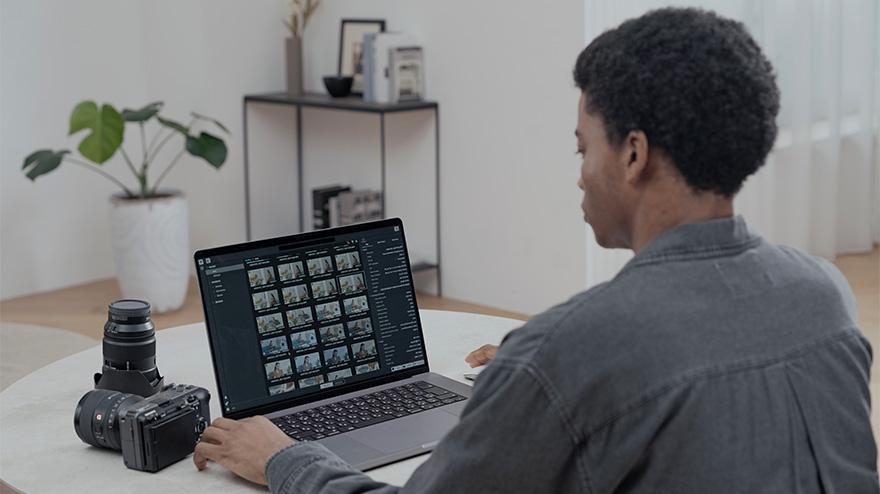
Manage video clips with intuitive operations aligned with workflow steps
You can intuitively organise and view clips on storage media and within folders with a simple interface that follows each workflow step.
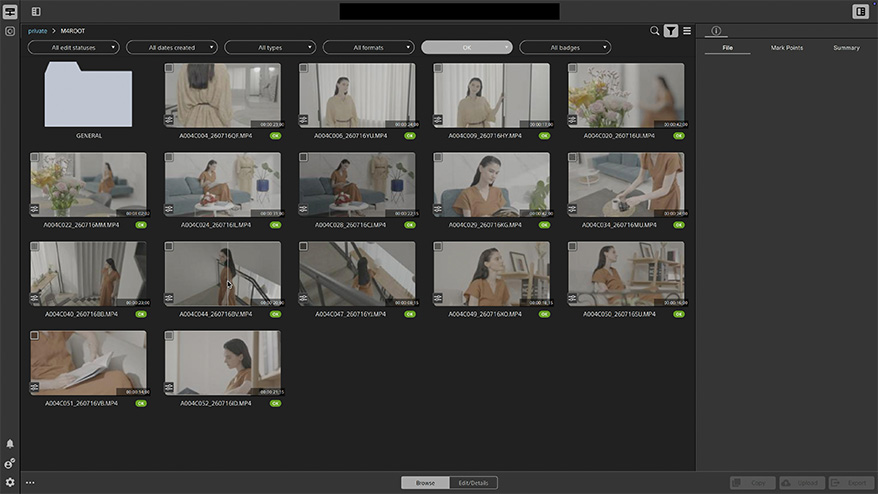
High-precision video previewing
You can review video frame by frame, improving the accuracy of clip selection. Playback of many video formats widely used by creators is supported, including Sony formats such as X-OCN and XAVC. Playback of video files containing 96 kHz / 32bit float audio and multichannel audio is also supported.
Checking shooting metadata and selecting clips
Detailed metadata can be displayed, including settings and lens information, for clips shot on Sony's cameras. You can also view OK, NG, and KEEP flags assigned on site in Catalyst Prepare, filter clips, change flags, and add mark points, streamlining the clip selection process. Frequently checked metadata and flags can be pinned and displayed clearly in a list, letting you quickly review shooting conditions and other parameters for each clip. With paid plans, you can pin 4 or more metadata fields or flags.
- See support web page for information on supported cameras.
Image stabilisation
Shooting data from the camera and lens are used to provide high-speed, high-precision image stabilisation. Camera shake during handheld or moving shots is suppressed, resulting in stable video.
- See support web page for information on supported cameras.
Colour adjustment
By adjusting brightness, contrast, colour temperature, and other settings, you can achieve a wide range of looks, from natural tones to striking visual effects. In addition to applying and creating LUTs, colour adjustment for clips shot in Log format, utilising LUT/EI information recorded during shooting, is also supported. You can choose between “Quick” mode for simple adjustments and “Advanced” mode for more detailed adjustments, providing flexible adjustment to suit all your needs.
- See support web page for information on supported cameras.
Lens breathing compensation
This function automatically compensates for the phenomenon of "lens breathing" or “focus breathing,” where the angle of view changes when the focus is adjusted during video recording.
- See support web page for information on supported cameras.
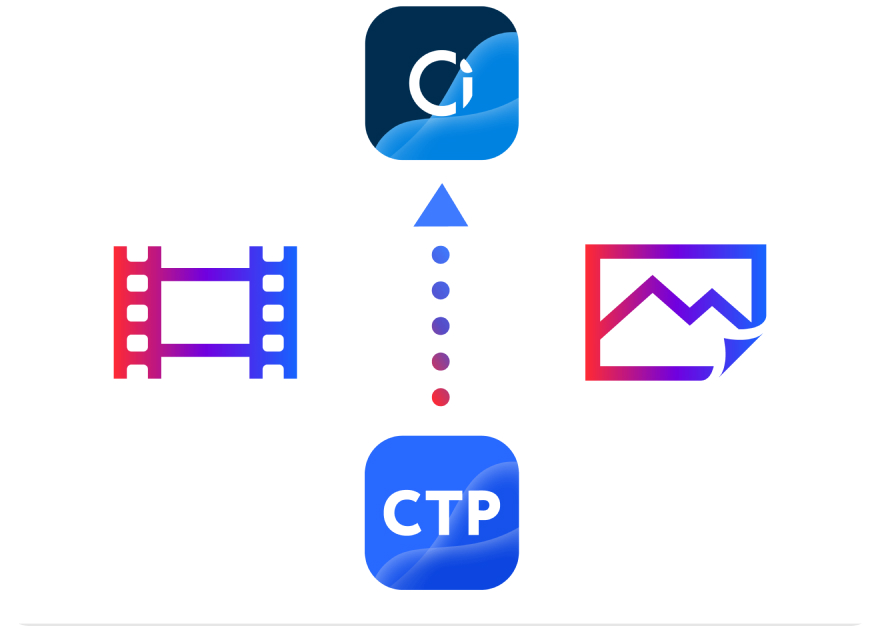
Integration with cloud storage
You can access Ci Media Cloud from Catalyst Prepare to directly upload and download clips. Catalyst provides uniform access not only to clips stored locally but also to clips stored in Ci Media Cloud.
This enables a more seamless workflow for importing video into Catalyst after direct uploads from camera to cloud, as well as for transferring video back to the cloud after clip selection and editing.
- * Please see here for the countries and regions where Ci Media Cloud is available.
Catalyst Prepare Paid Plan
As well as the basic functions, a paid plan provides more advanced operations such as bulk export of multiple clips, manual adjustment of compensation strength, Horizon Lock, and sound separation. These advanced functions can streamline your workflow when dealing with large numbers of video clips, letting you enhance their quality and efficiently prepare them for the final edit in your usual editing software.
Bulk export of multiple clips
You can export multiple clips together. Bulk export of clips that have undergone compensation and colour adjustment lets you efficiently process large volumes of clips. Transcoding is also supported on export, letting you save files in various formats to match your editing environment and intended use.
Fine-tune corrections to match your creative intent
You can finely adjust the strength and framing of image stabilisation, while manually controlling the degree of lens breathing compensation. This gives you more precise control over the final result, allowing you to preserve the feel of your camerawork and the intended angle of view during shooting.
- See support web page for information on supported cameras.
Horizon Lock
This function corrects the horizon orientation using metadata saved during shooting to rotate the image. This is useful for example when the horizon has shifted during hand-held shooting.
- See support web page for information on supported cameras.
Sound Separation
The AI engine accurately separates sound sources recorded in video clips, allowing you to individually cut out human voices, wind noise and other ambient sounds that are difficult to adjust when shooting.
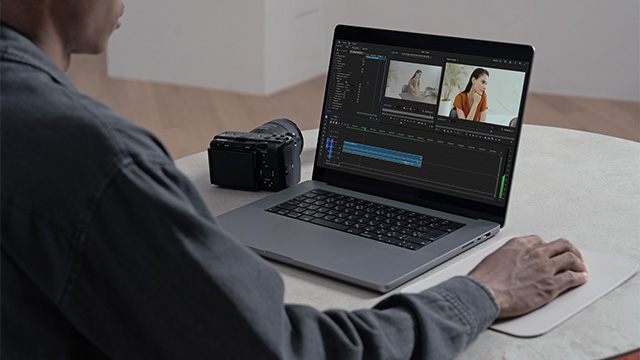
A plug-in tool that allows you to use the powerful features of Catalyst Prepare with your editing software
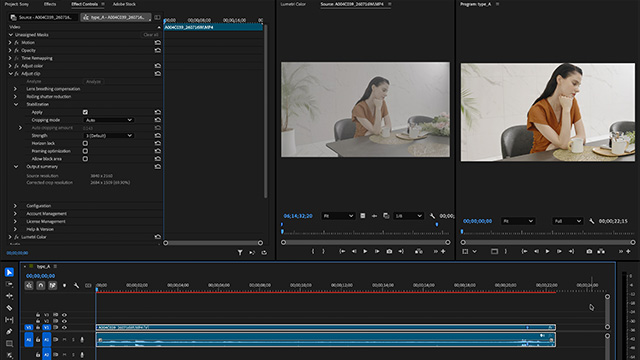
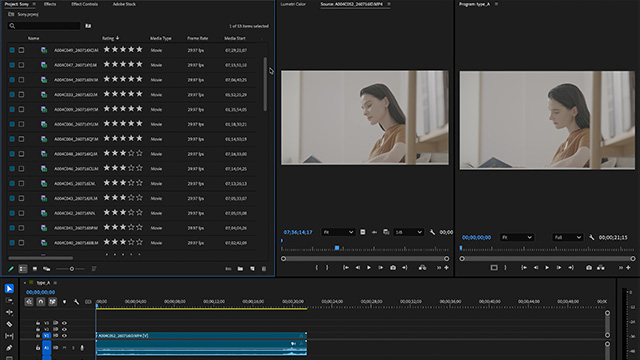
The powerful correction functions provided by Sony are available for use in Adobe Premiere and Blackmagic Design DaVinci Resolve. Sony's proprietary high-speed, high-precision correction functions reduce workflow time while providing a detailed but comfortable correction process.
 Adobe Premiere
Blackmagic Design DaVinci Resolve
Adobe Premiere
Blackmagic Design DaVinci Resolve
Use Catalyst Prepare's correction functions directly in your editing software
Sony's proprietary correction functions popular in Catalyst Prepare are now available for use directly in your editing software. For smooth use, select from the effects list.
Powerful correction tools provided
The Catalyst Prepare Plugin includes fine-tuning functions provided by Catalyst Prepare, such as the ability to adjust the degree of image stabilisation and to minimise the amount of crop.
From the timeline edit, you can perform corrections including image stabilisation, lens breathing correction, and horizontal correction, at high speed and high quality.
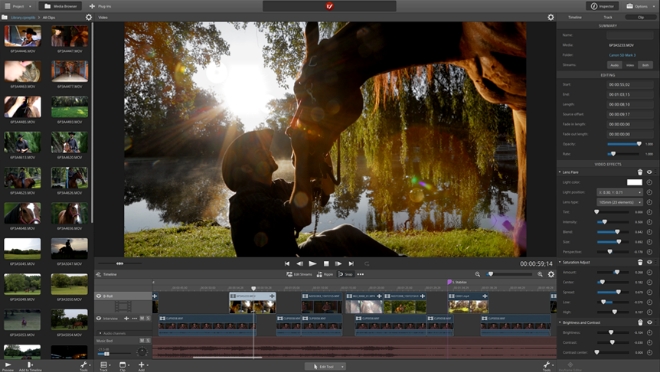
Utilising rich metadata for editing
Log information recorded during shooting, such as Shot Marks and OK/NG/KEEP flags, can be imported into the editing software to streamline clip selection.*
In addition, information from Log recording modes [Flexible ISO], [Cine EI], and [Cine EI Quick] can be imported into the editing software to smoothly facilitate detailed metadata confirmation and colour grading using LUTs.
- * Not supported by Blackmagic Design DaVinci Resolve.
As of August 2026, Catalyst Browse and Catalyst Prepare have been integrated.
Users of previous versions of Catalyst Browse or Catalyst Prepare, please see here.
Other recommended Creators' Cloud apps
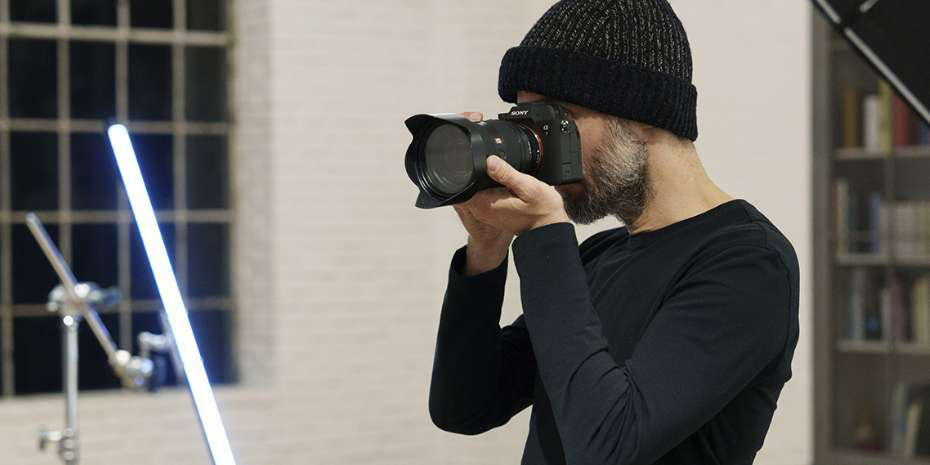

Creators' AppCreators' Cloud mobile app
Mobile app for file transfer, remote shooting, cloud storage management, Discover, and more




Monitor & ControlVideo monitoring and remote control application
Wired and wireless video monitoring and multiple camera operation on the large screen of a smartphone, tablet, or Mac
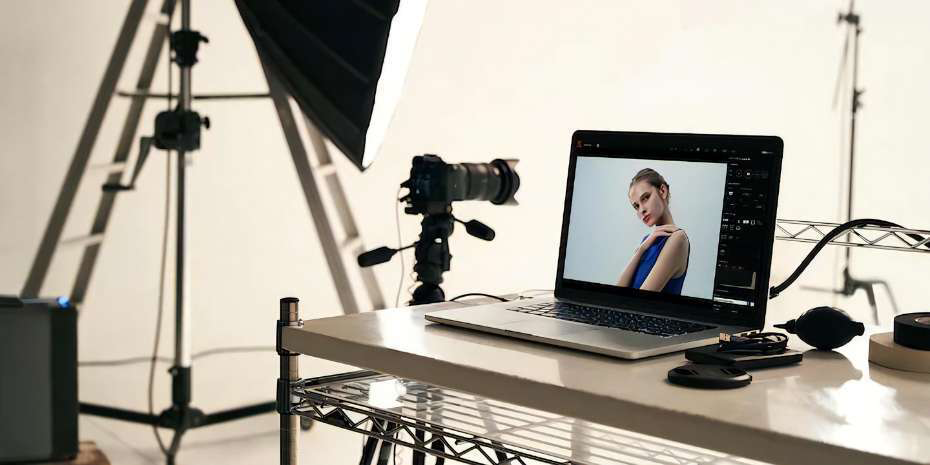

Imaging Edge DesktopDesktop application for RAW image processing and remote shooting
Desktop application for remote shooting from Sony cameras; can also be used to browse and process RAW images
