

High-precision wired and wireless video monitoring and remote control on a larger screen

Monitor &
Control
Our app for visual creators enables wired and wireless monitoring, high-precision exposure adjustment, and focus control on the larger screen of your smartphone, tablet or a Mac.
Supported cameras
Require the latest system software update
Features of Monitor & Control
- Pre-Production
- Setup
- Shooting
- Monitoring
- Post-Production
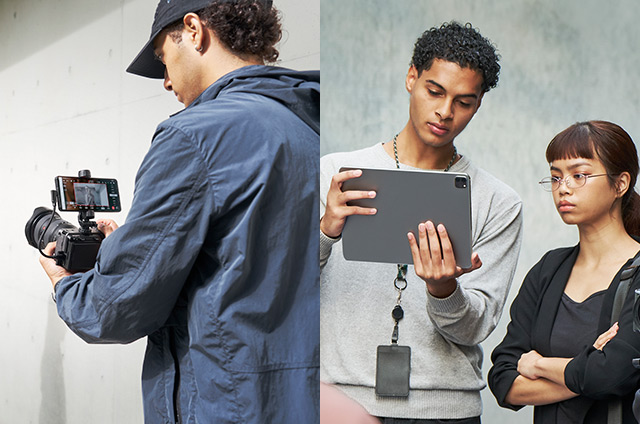
Highly flexible shooting style
You can use your device wirelessly as a second monitor. And with a wired connection, you can enjoy stable monitoring even in areas with poor signal reception.
Over HDMI/UVC connections, high-resolution (Full HD quality) monitoring is also possible.
Up to 20 cameras can be connected to a single device.
- Compatible with iPad and Mac
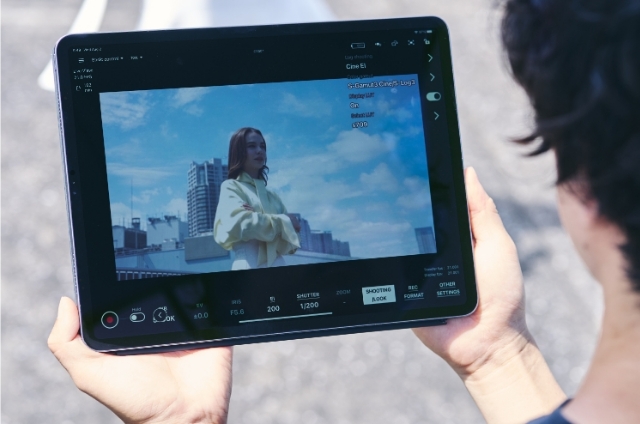
High-quality monitoring and control
As well as camera settings and recording controls, you can also adjust focus wirelessly. Iris and ND Filter can also be operated from the control bar.
You can shoot video and record it to storage at the same time, and you can view the recorded video on your device without interrupting camera operation.
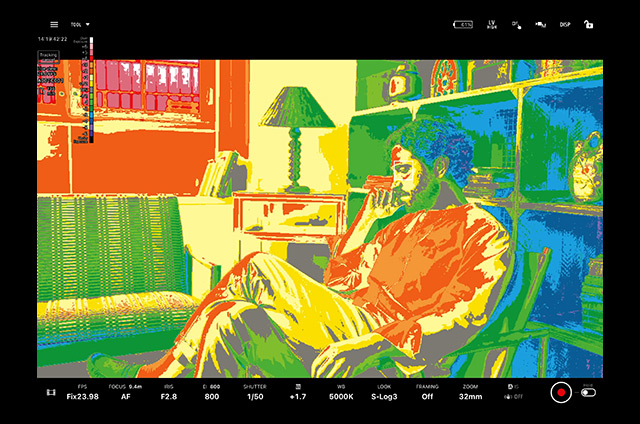
Precise exposure control
You can check waveform monitor / false colour / histogram / zebra displays in real time, to achieve optimal exposure settings for your subject.
Support for EL Zone helps to ensure more accurate exposure settings.
Switch compositions with a single tap
You can shoot with compositions that you've preset in the cropping and framing function.
Up to 10 presets are available for single-camera monitoring.
Up to 10 presets are available for multi-camera monitoring.
Multi-Camera Monitoring on one screen
You can connect multiple cameras to your device and monitor them all simultaneously. Up to 4 cameras can be connected while using iPad
You can apply setting changes to all cameras simultaneously during Multi-Camera Monitoring. Up to 2 cameras can be connected while using iPhone.
You can monitor up to 20 cameras*. Vertical position is also supported, so you can handle a wide variety of scenes.
- Compatible with iPad and Mac
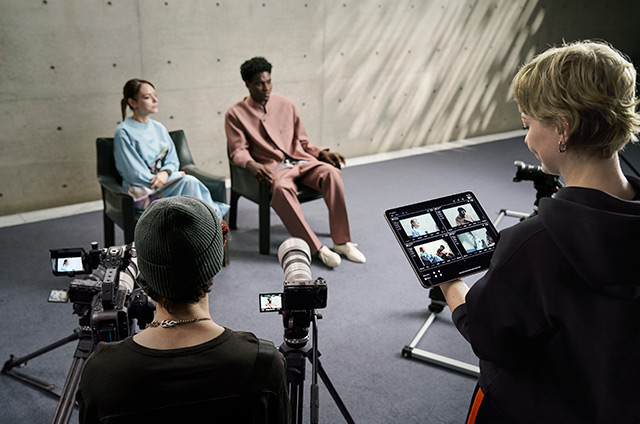
Streamline workflow from pre- to post-production
By flagging shots as OK/NG/KEEP while shooting, and applying LUTs while shooting in Log format, you can preview the final look while shooting, helping to streamline post-production.
You can save snapshots with shooting information. These can also be used for shot lists and storyboards.
Image Overlay lets you overlay images on the live view to accurately recreate composition and subject positioning.
Highly flexible shooting style
A smartphone, tablet or a Mac can be connected to a camera and used as a second monitor with a larger screen.
A wireless connection allows basic camera operations such as recording stop and start, and the changing of settings
such as white balance and ISO*¹ to be performed remotely. High resolution (full HD quality) monitoring on an iPad, Mac or Sony's Xperia smartphone is also supported.*²
Configurable operations depend on the connected camera. For details, please refer to Support Page.
When connecting to USB Video Class (UVC) output, use a USB Type-C® cable.When connecting to HDMI output, use an HDMI-UVC conversion adaptor (sold separately) that is suited to your smartphone.
For details on connection methods and supported models, please refer to Help Guide.
Wired USB connection*³ is also supported, ensuring stable monitoring even in environments with unreliable connectivity. You can also view content being played on the camera in real time on your smartphone or tablet, via either a wired or wireless connection.
The FX6, BURANO, Z200, NX800, Z300, and FX5 support wired USB connections via USB tethering. Please note that this is not supported on iPadOS or macOS.


Precise exposure monitoring*
The Monitor & Control app includes powerful exposure assistance tools. The waveform helps identify the exposure levels in different parts of your image. The histogram gives you a quick view of the overall brightness/luminance. Both update in real time, and can be freely hidden, resized, or moved to suit your shooting needs. You can also use the false colour or zebra display to set optimal exposure for the subject.
- Requires the latest system software update
Waveform
False color
Zebra
Histogram
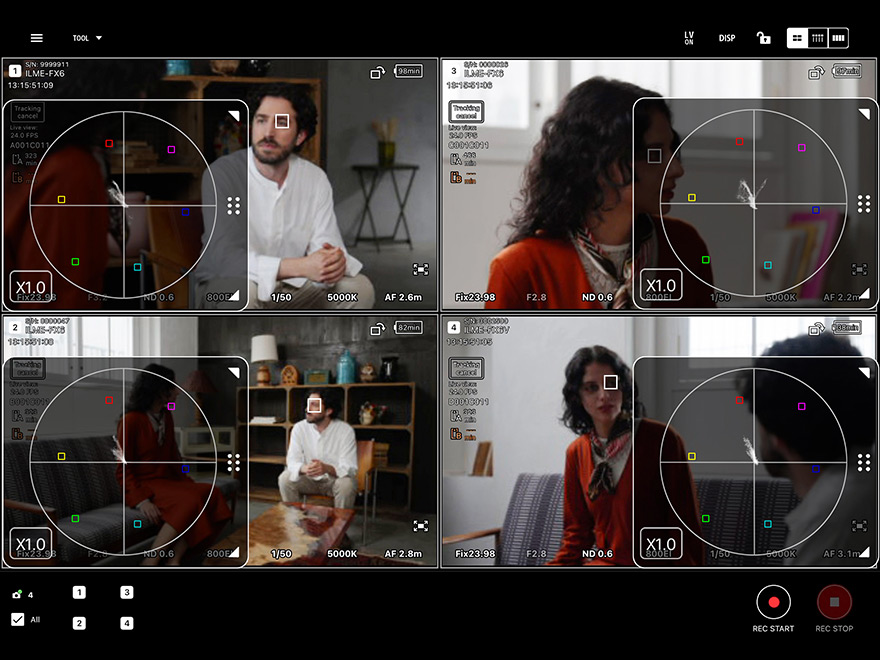
Vectorscope for colour correction support
A vectorscope is a tool that lets you visually check colour hue and saturation. It helps minimise colour variations when using multiple cameras, ensuring consistent visual expression. When combined with exposure tools, it enables precise control over both brightness and colour.
Intuitive focus controls
Focus settings and wireless operation
Touch Focus, AF sensitivity, and other focus settings* can be configured intuitively. One advantage of the wireless connection is that another operator can tap a subject being monitored on the tablet or smartphone to track the subject using Real-time Tracking, allowing the camera operator to concentrate on moving the camera without worrying about focusing.
- Configurable operations depend on the connected camera.
Control bar for intuitive focusing
The control bar on the side of the screen allows intuitive control of the focus position when shooting video. By assigning "Focus" to the control bar and setting the upper and lower limits of the focus point in advance, you can stop the focus at the desired position. In addition, the control bar display can be magnified by up to 350%, making it easy to adjust the control bar to suit the operating range and focus precision. Iris and ND Filter* can also be set on the control bar. Detailed Iris and ND Filter settings can also be made on the larger screen.
- Supported cameras: BURANO, PXW-Z300, PXW-Z200, HXR-NX800
- Requires the latest system software (PXW-Z200 and HXR-NX800 are supported by a software update from June 2025).
Focus Map*
Focus information (depth map) can be superimposed on the large screen monitor of a smartphone or tablet to visually and intuitively grasp the in-focus and out-of-focus areas. By visualizing the depth setting of the entire image (determining the subject position and depth of field) and the focus position and depth setting during rehearsal, the system provides powerful support for shooting high-definition images and shooting with a shallow depth of field using bright lenses.
Focus Map display is now possible even during Multi-Camera Monitoring
- Supported cameras: FX6, FX5, FX3, FX2, FX30, α1 II, α1, α9 III, α7R VI, α7R V, α7S III, α7 V, α7 IV
- Requires the latest system software update
- This function is not available in the following situations: when the camera is displaying clips or during replay operation; when using frame rates below 6fps or above 150fps; when no lens is mounted; when a lens that does not support phase-detection AF is mounted; or when a mount adaptor is used.
Extensive colour setting functions
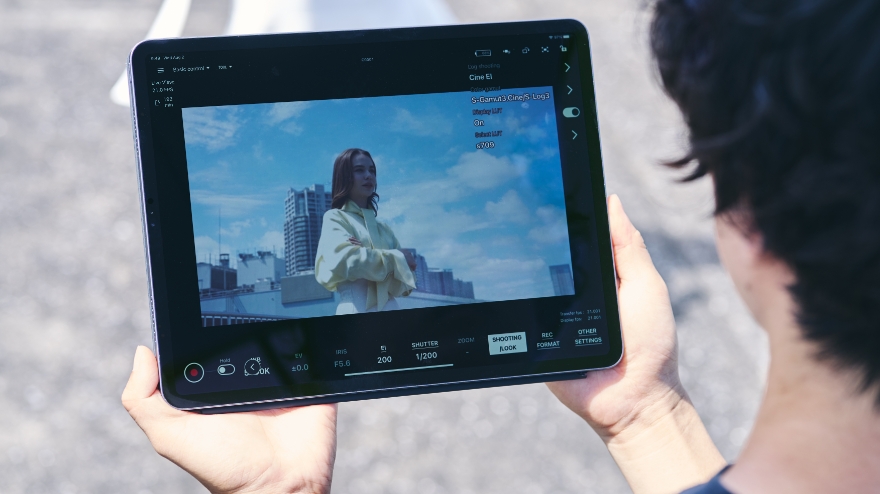
Monitor & Control provides control of Picture Profile / Scene file settings, LUT switching, and other operations. Additionally, LUT can be applied in Log shooting so that an image resembling the finished image after post-production can be checked on a larger screen during recording. Besides selecting existing LUT files, you can also import LUT files from mobile devices directly to the camera without using a computer. You can view images with your preferred look applied.
Advanced operability delivers ease of use for creators
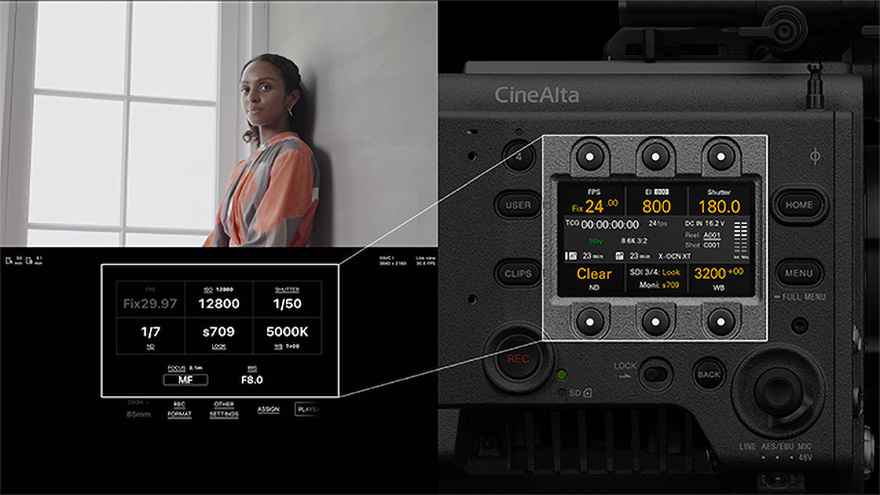
Remote operation of frequently used functions during shooting
The frame rate, sensitivity, shutter speed, ND filter*, look, and white balance, which need to be operated frequently during shooting, can be remotely controlled using the monitor of a smartphone or tablet. In addition, the user interface is the same as that of the Sony CineAlta body as represented by VENICE, providing the same operability as the body.
- When using a camera not equipped with an ND filter, the ND filter item will not be displayed and will be left blank.
Switch between shutter speed and angle display
The display on the monitor of your smartphone or tablet can be switched between shutter speed and shutter angle, allowing you to shoot in the way you find easiest.
- Supported cameras: BURANO, PXW-Z300, PXW-Z200, HXR-NX800, FX6, FX5, FX3, FX2, FX30
- Requires the latest system software update
Marker display
Markers such as aspect markers and safety zones are displayed on the monitoring screen. This allows you to check the angle of view and composition while shooting.
De-squeeze display supported
During video recording, video squeezed at the anamorphic ratio of the lens is de-squeezed (corrected) and displayed on the mobile device. De-squeezed images can be displayed on a smartphone or tablet in real time according to the anamorphic ratio* of the lens.
- Ratio can be selected from 1.25 / 1.3 / 1.33 / 1.5 / 1.6 / 1.8 / 2.0.
Assignable clip flags (OK/NG/KEEP)
OK / NG / KEEP flags can be assigned as you are monitoring during a shoot. Assigned flags greatly facilitate clip selection during post-production.
- Supported cameras: FX3, FX30
Cropping and framing feature
Cropping and framing feature useful for live streaming
You can use the camera's Real-time Recognition AF to track your subject or use a preset composition. Up to two compositions can be preset. While shooting, you can switch from one composition to another with a single tap of the mobile device. In music livestreaming with multiple performers, you can use various compositions to capture the entire group or track an individual performer. In addition, you can use preset compositions to manually track the subject while operating the pan-tilt-zoom UI controls or randomly recall multiple preset compositions for automatic shooting.
And with new support for multi-camera connection, labour saving is achieved on top of greater flexibility in camerawork and a wider choice of compositions, even during large-scale shoots.
- Supported cameras*: PXW-Z200, HXR-NX800, FX3, FX30
- FX3/FX30 only support manual framing.
Multi-Camera Monitoring function
Multi-Camera Monitoring
This function allows a single iPad*² or Mac*³ to connect wirelessly to up to four cameras*1 for image monitoring and shooting control, including recording start/stop and the display of settings and battery level. Since multi-angle shooting with multiple cameras can be done from a single device, a single person can do what used to require several persons. Multi-camera monitoring also allows the settings on each camera to be checked and adjusted.
- With the Premium Plan, up to 20 cameras can be connected.
- Compatible with iPadOS 17.0 - 18.4.
- Multi-camera monitoring using Mac is provided in the Premium Plan. Compatible with macOS 14.7 – 15.3.
Simultaneous connections for multiple users
You can connect multiple smartphones, tablets, and Macs to the same camera and view the same footage simultaneously*¹. This allows you to share the same view with your production crew (such as the director, camera operator, and assistants) on location.
If you’re using an iOS, iPadOS, or macOS device, you can additionally use the screen-sharing features of the OS or apps to share the Monitor & Control screen with other devices*²*³.
- Supported cameras are BURANO, PXW-Z300, PXW-Z200, HXR-NX800, FX6, FX5
- The device receiving the screen share can view only the shared screen.
- Operation as an app is not guaranteed. The app may not function in the event of changes in OS specifications.
Download Monitor & Control
Other recommended Creators' Cloud apps

Creators' AppCreators' Cloud mobile app
Mobile app for file transfer, remote shooting, cloud storage management, Discover, and more


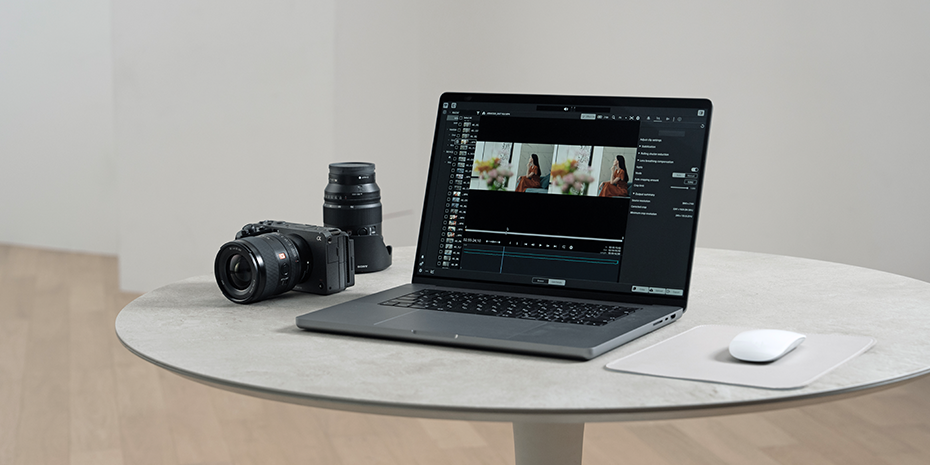
Catalyst Prepare / Catalyst BrowseDesktop video editing applications
Desktop applications for video previewing, high-speed/high-precision image stabilization, and color editing using camera logs and metadata

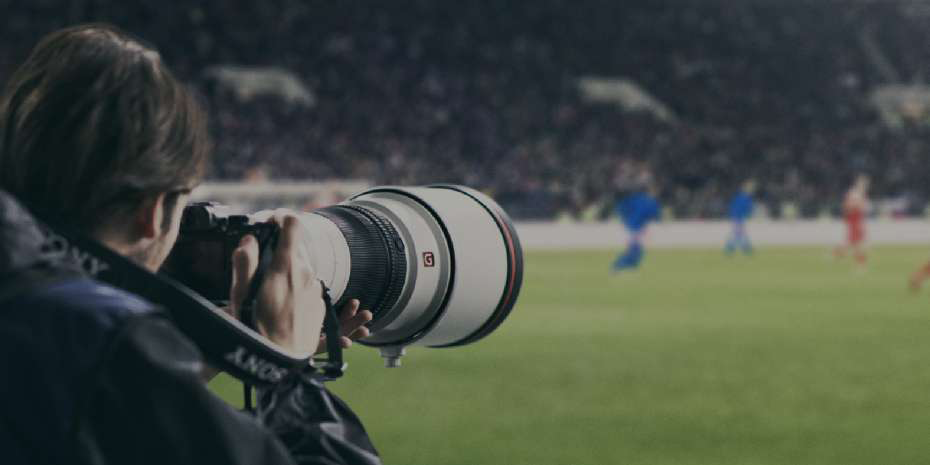

Transfer & TaggingMobile app for still image transfer and high-speed tagging
Mobile app that accelerates still image transfer workflows for pro photographers shooting for sports, reporting, etc